- Year
- 2026
- Type
- Full-Stack
- Status
- Shipped

Overview
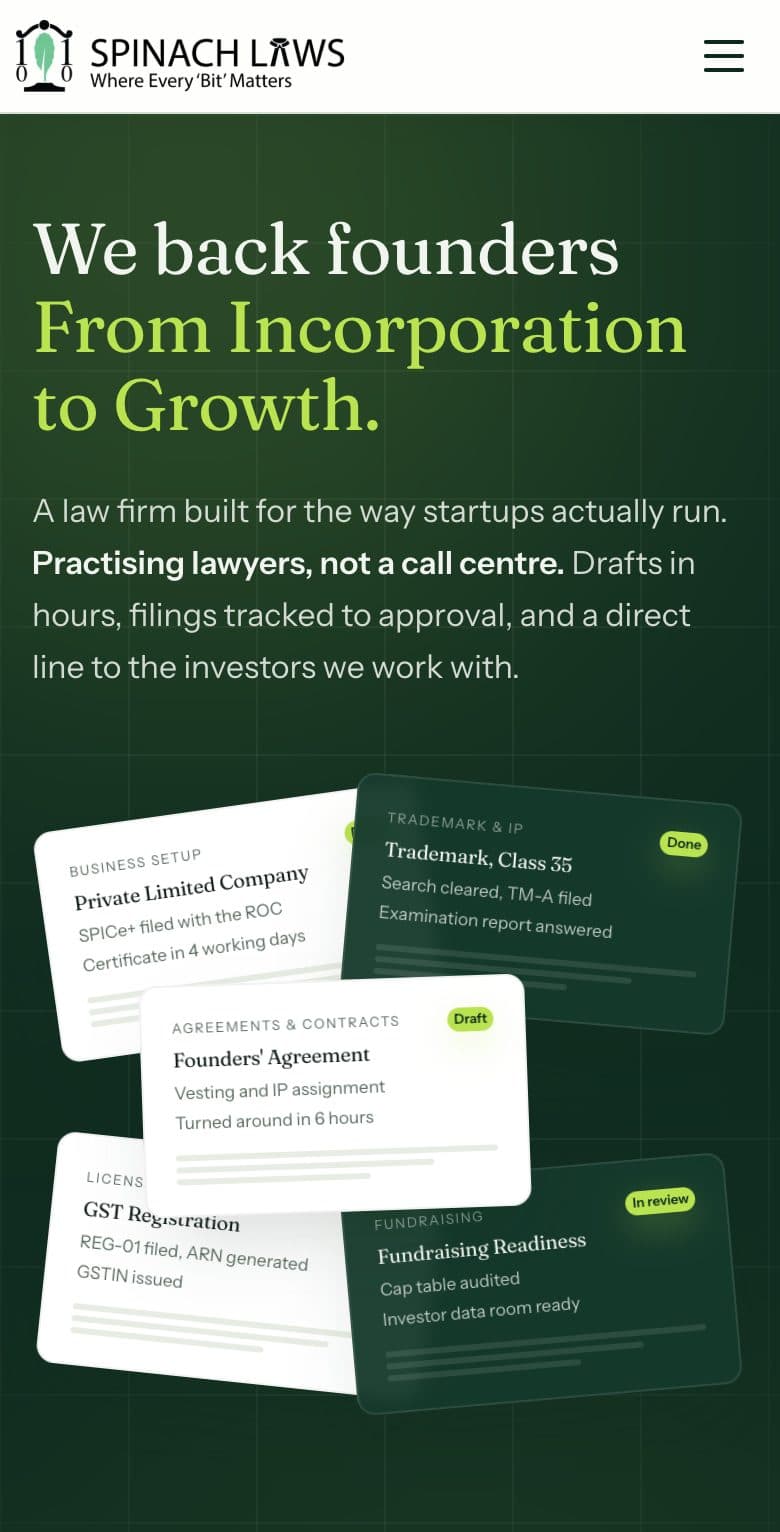
Spinach Laws is a legal and compliance firm that helps founders start a company, protect what they build, stay compliant and raise capital. Before the platform, every sale needed a call to explain the fee and the documents, details arrived over WhatsApp and email, and work was tracked in spreadsheets. We turned the practice into an online product with three parts: a public site where each of the 103 services has its own page with a price, timeline, document checklist, process and FAQs; a customer portal where clients pay, fill in their details, upload documents and follow each step; and an operations console where Super Admins, Admins and Managers run every matter from payment to delivery.
The live site

The problem
The firm's expertise was never the bottleneck. The business around it was: how clients found the firm, how they bought, how their information came in, and how work was tracked and handed over. The platform started as a quickly built prototype site and was rebuilt as a full product.
No prices in public
Founders compare providers on price and speed. Without published prices, many left before ever getting in touch.
Every sale needed a call
Each enquiry needed a call to explain scope, fee, documents and timeline before any money changed hands.
Scattered intake
Details and documents arrived over WhatsApp, email and calls, spread across inboxes and often incomplete.
No single view of the work
Nobody could see in one place which matters were waiting on the client, which were with the team and which were stuck.
Clients chasing updates
Without visibility, clients called or messaged to ask for status, which cost time on both sides.
Quality depended on individuals
No consistent check stood between someone finishing a document and that document reaching the client.
At a glance
- services, each with its own priced page
- 103
- services, each with its own priced page
- ways to buy: fill in then pay, or pay now and fill in later
- 2
- ways to buy: fill in then pay, or pay now and fill in later
- staff roles with separate permissions
- 3
- staff roles with separate permissions
Key decisions
- Publish a price on every service
- Price is the strongest trust signal for founders comparing providers, and it qualifies leads before anyone has to talk to them.
- One page per service
- Founders search for specific needs, like the cost of a trademark registration. 103 specific pages meet that intent and rank better.
- Pay now, fill in details later
- The form is where buyers drop off. Taking payment first secures it while intent is highest, and the team helps with the rest.
- Guest checkout
- Each step before payment loses buyers. Asking only for name, email and mobile number removes the account barrier.
- “Let the team handle it” on by default
- It keeps the firm a service rather than a piece of software, and the first call starts the client relationship.
- Upload, verify, then deliver
- Quality control lives in the workflow: no deliverable reaches a client without a second person checking it.
- A catalogue the firm edits itself
- Prices and service content change often. The team can change them the same day without an engineer, and undo any edit from the history.
- Roles and an audit trail
- Junior staff can work the Assisted Filing queue without access to the whole pipeline, and every key action records who did it.
System sketch
A simplified view of how the main parts connect.
What we built
Public site with 103 service pages, each with a price, turnaround time, document checklist, process steps and FAQs
Customer portal with a step-by-step application form that saves progress, a document checklist, a process tracker and deliverable downloads
“Pay now, fill later” checkout, and guest checkout that asks only for name, email and mobile number
Operations console with one pipeline for every matter: assignment, internal and client-visible notes, and full status history
Assisted Filing queue where Managers claim paid matters, call the client and fill the form for them, with edit-conflict detection
Two-step deliverable check: a team member uploads, an Admin verifies, and only then is it delivered to the client
Catalogue editor with a visual form builder, a publish checklist, edit history and one-click restore
Razorpay payments confirmed on the server, with a backup confirmation route if the browser closes
Role-based access for Super Admin, Admin and Manager, with every key staff action recorded
Analytics dashboard with a conversion funnel, applications by status and by service, and 30-day trends
Before and after
Discovery
BeforeA brochure site with loosely described services and no prices or timelines
After103 service pages with prices, timelines, documents, process and FAQs
Buying
Before“Contact us”, followed by at least one call per sale
AfterClients buy any service at any hour, with or without an account or a completed form
Payment
BeforeCollected after the conversation, often by bank transfer, reconciled by hand
AfterPaid online by UPI, card or net banking, confirmed automatically and tied to the matter
Intake
BeforeDetails over WhatsApp and email, often incomplete, needing several follow-ups
AfterA guided form and document checklist; self-service matters can't be paid until complete
Tracking
BeforeSpreadsheets and memory
AfterOne pipeline with statuses, owners, notes, history and a queue for paid matters waiting on details
Client updates
BeforeClients called to ask for status
AfterA step tracker on the client dashboard and an email at each milestone
Quality
BeforeThe person doing the work sent it straight to the client
AfterA second person checks every deliverable before release, and each step is logged
Catalogue changes
BeforeChanging a price or description needed a developer
AfterThe firm edits it in minutes, with history and one-click restore
Stack
- Razorpay
Lessons learned
Let people pay first
The longest form loses the most buyers. Moving payment ahead of it was the most important commercial decision.
Service beats software for legal work
Making “Let the team handle it” the default kept the firm's people at the centre while the platform handled the mechanics.
Build the quality check into the flow
Making “verified” a required step before “delivered” means quality doesn't depend on anyone remembering to check.
Protect work in progress
Clients keep the form version they started with even if it is edited later, and edits by the client and the team never silently overwrite each other.
What's next
- A revenue report, CSV export of applications and a screen to review staff activity
- Recommending the next service on the client dashboard, based on what they have already bought
- Compliance calendar reminders for annual filings, trademark renewals and post-funding reporting
- Retainer and subscription plans for ongoing compliance
Next case study
Corpora